With MYOB, Xero, and QuickBooks being the top contenders, how do you know which one is the best fit for your business? Each platform comes with its own strengths: MYOB has deep roots in Australian accounting, Xero is a cloud-native favorite, and QuickBooks brings global expertise.
In this guide, we’ll compare these three accounting powerhouses, breaking down their features, pricing, and compliance capabilities to help you make an informed decision. Let’s dive in!
Overview of MYOB, Xero, and QuickBooks
MYOB, Xero, or QuickBooks; choosing the right accounting and finance compliance management software depends highly on factors such as business industry type, region, employee count, etc. Three prominent options—MYOB, Xero, and QuickBooks—each offer distinct features tailored to various business needs.
Regarding online engagement, Xero captures a substantial 55.14% click share, followed by MYOB at 17.15%, and QuickBooks holding 8.03%. These statistics highlight Xero's strong market presence in Australia and its widespread adoption for accounting purposes.
- Xero: Xero is a cloud-based accounting software that is popular among small and medium-sized businesses. It offers an interactive UI with multiple features like online invoicing, inventory management, bank reconciliation, and payroll.
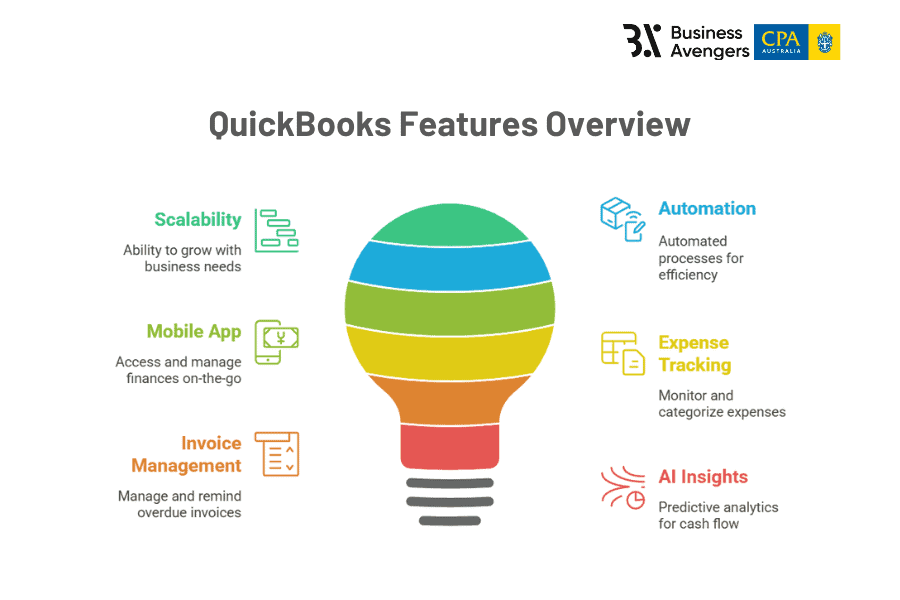
- QuickBooks: QuickBooks is a global platform by Intuit, the cloud platform is known for its automation capabilities and scalability. It offers an intuitive dashboard, expense tracking, invoicing, and sorts multiple currencies, supporting international transactions.
MYOB vs Xero vs QuickBooks: Which Accounting Software to Choose?
Finding the right accounting software depends on your business size, industry, and how much value you place on compliance, automation, and ease of use.
1. Ease of Use & Automation
Australian SMEs must check how easy the platform is to use daily, how much automation it provides, and how it integrates with finance-related workflows.
MYOB
Xero
QuickBooks
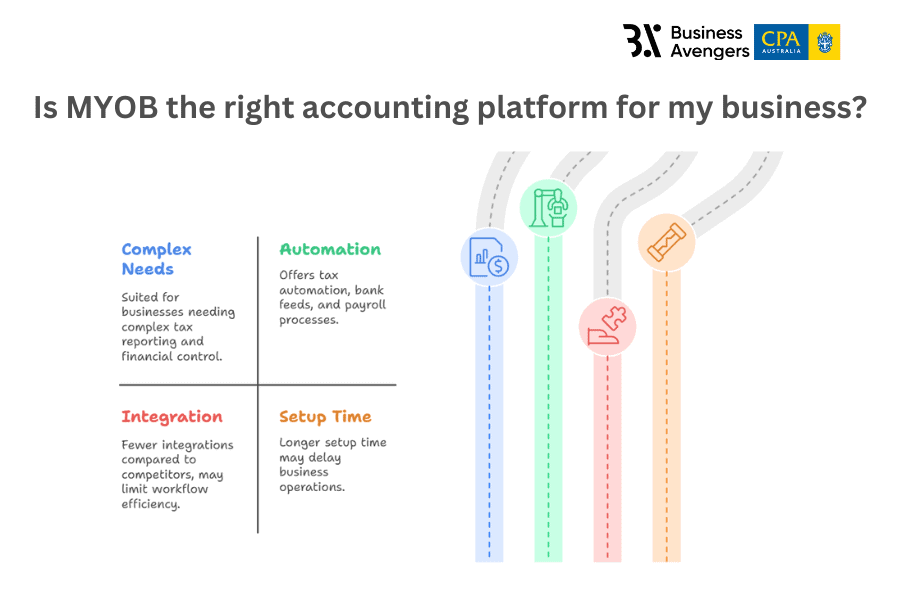
- However, some users have reported that specific processes can be overcomplicated and also offer fewer integrations than Xero and QuickBooks. It also takes a longer setup time than Xero or QuickBooks and has limited app features with limited AI-driven insights.
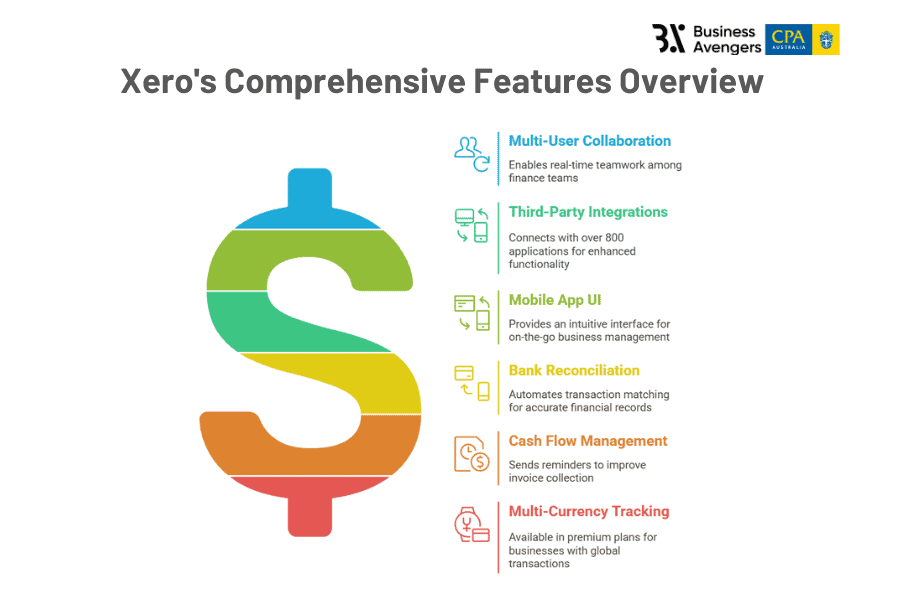
- Suitable for digital SMEs, this cloud-based platform offers accurate financial records and prompt auditing. Best for multi-user collaboration, as finance teams can work in real-time with bookkeepers and accountants for automated billing and expense tracking.
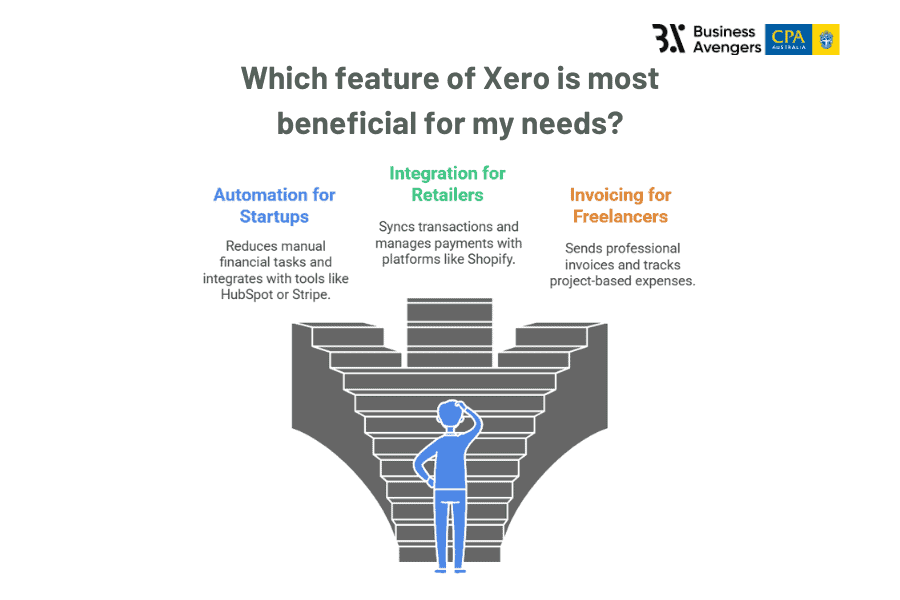
- It integrates with over 800 third-party applications (like Dext and Hubdoc) and has an intuitive mobile app UI. This app also allows businesses to send invoices & track expenses on the go.
- Automates bank reconciliation and categorises transactions based on past activity. Improves cash flow management by sending automatic reminders for unpaid invoices.
- More expensive for businesses that need multi-currency tracking or payroll (only available in premium plans).
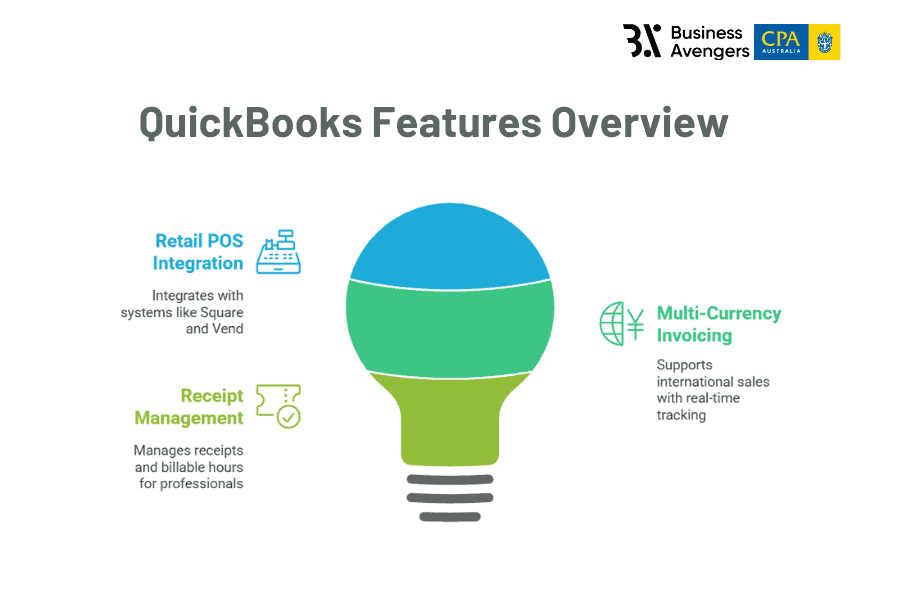
- Suited for SMEs in retail, hospitality, and service-based industries looking for scalability & automation. QuickBooks offers an easy-to-understand interface for users looking to manage their accounting tasks with detailed product offerings.
- You can track your income and expenses using the platform and automate invoice generation to manage your business’s accounts receivable process.
- Detects overdue invoices and sends payment reminders automatically with AI-powered insights into future cash flow trends based on your financial history.
2. Pricing Comparison and Cost-Effectiveness
The cost-effectiveness of the pricing models suggested by these bookkeeping and finance management platforms is a crucial aspect to look into. Why? This analysis helps you compare the pricing structures and potential hidden costs to see which one suits your business best.
MYOB
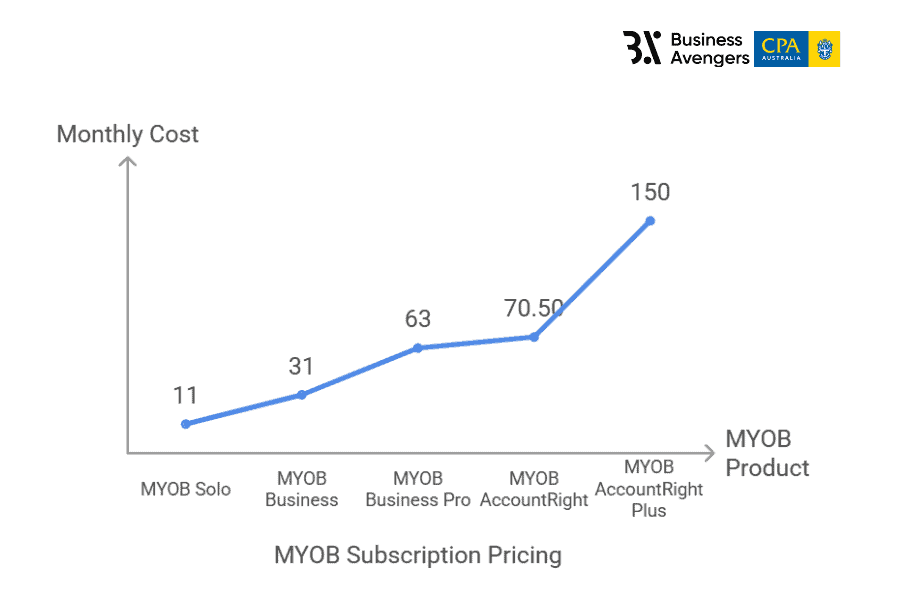
MYOB Solo: AUD 11 per month
Note: Best for businesses that require in-depth accounting & compliance tools but can afford additional costs. Prices are subject to change, so refer to the official MYOB pricing page for the latest information.
Xero
Note: For detailed information, visit Xero's pricing page.
QuickBooks:
Note: Refer to QuickBooks' pricing details for more information.
- MYOB Business: Starts at AUD 31 per month
- MYOB Business Pro – AUD 63/month
- MYOB AccountRight: Begins at AUD 70.50 per month
- MYOB AccountRight Plus – AUD 150/month
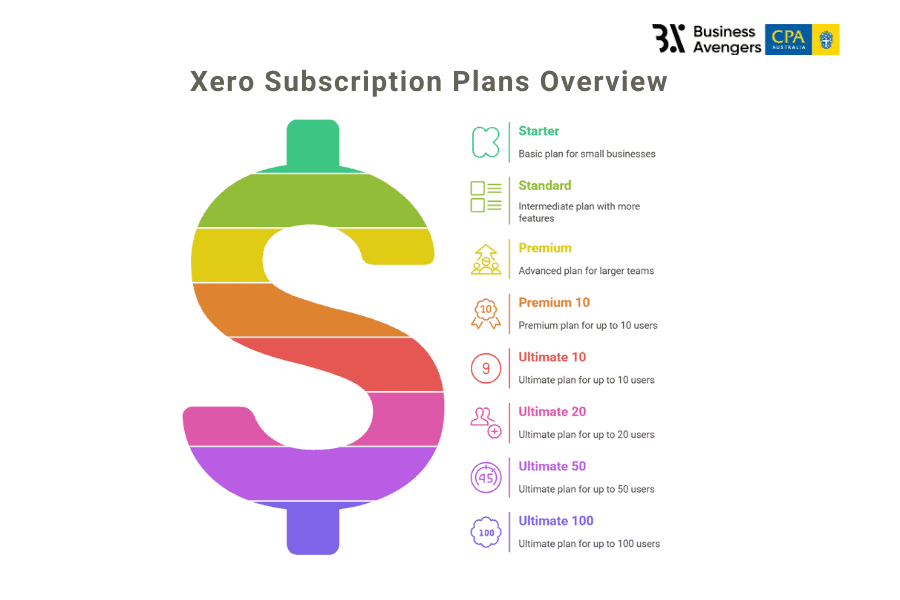
- Starter: AUD 35 per month
- Standard: AUD 70 per month
- Premium: AUD 90 per month
- Premium 10: AUD 95/month
- Ultimate 10: AUD 115/month
- Ultimate 20: AUD 145/month
- Ultimate 50: $200/month
- Ultimate 100: $245/month
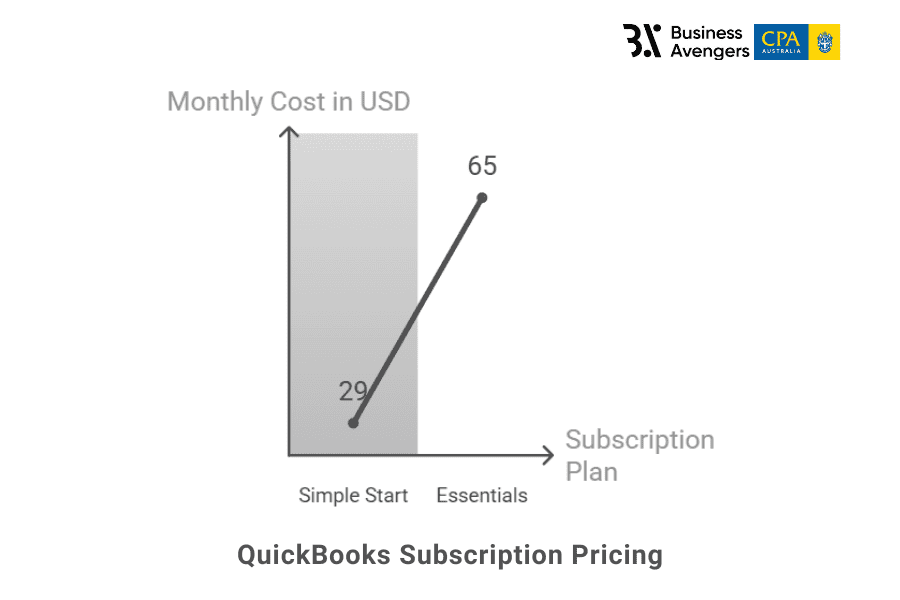
- Simple Start: Available at $29 per month, suitable for sole traders and new enterprises.
- Essentials: Priced at $65 per month, includes additional features like bill management.
Value for Money
- MYOB: Users may like its compliance tools, but it might be expensive compared to Xero.
- Xero: It can outrun other platforms in automation, but the payroll feature is restrictive to higher-tier plans.
- QuickBooks: Users might favour its automation but see a slower response time in customer service.
3. Industry-Specific Suitability
Your business can benefit highly from accounting automation, but it must first align with your business’s operational complexity, compliance needs, and practical financial trends forecasting.
MYOB
Xero
QuickBooks
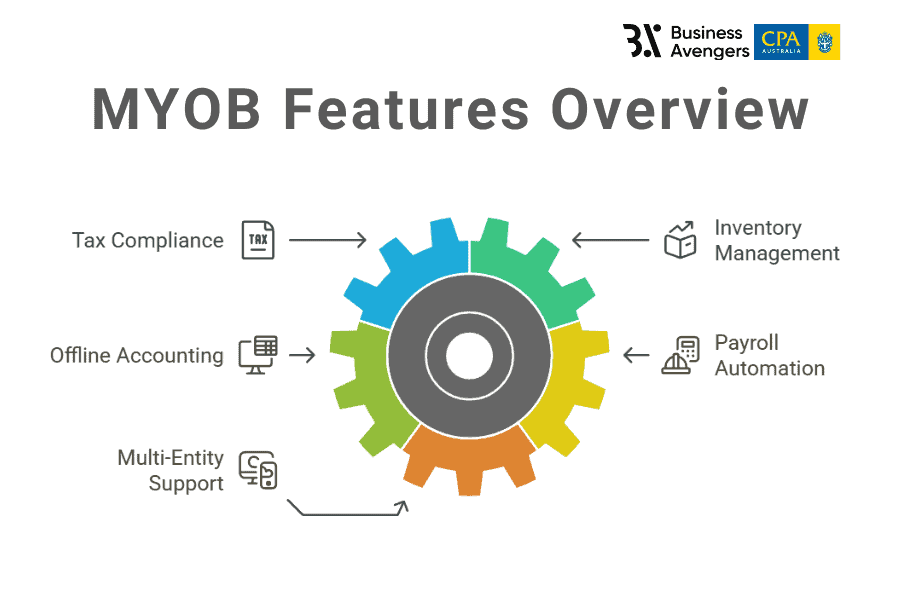
- Unlike Xero and QuickBooks, MYOB has advanced stock tracking, multi-location inventory, and supplier management. It helps your business handle wholesale distribution and has built-in inventory forecasting.
- MYOB also offers offline accounting, meaning businesses can instantly transfer data to the cloud (periodically) and handle desktop-based accounting.
- For companies with 100+ employees, MYOB’s payroll automation, award rates compliance, and leave tracking are highly beneficial.
- Firms handling multiple client accounts require MYOB’s multi-entity support for managing different financial portfolios.
- QuickBooks’ real-time exchange rate tracking and multi-currency invoicing allow businesses to deal with overseas suppliers or international sales.
4. Software-Specific Features
Beyond pricing and usability, each accounting software brings distinct features that may directly influence how efficiently your business manages compliance, payroll, invoicing, and reporting.
MYOB
Xero
QuickBooks
- Provides ATP-focused integrations like STP Phase 2 and superstream compliance.
- Supports built-in award interpretation for industries like construction or manufacturing.
- It provides offline access via MYOB AccountRight, which is ideal for firms with restricted internet environments.
- Xero does CRM integrations, POS, e-commerce, and HR (e.g., Dext, Deputy, Shopify).
- Built-in Hubdoc support for document capture, storage, and automated data extraction.
- Clean, mobile-first UI that syncs financial insights across devices instantly.
- Cash flow projection tools forecast upcoming liabilities based on trends and connected bank accounts.
- Strong multi-currency handling with automatic exchange rate sync.
Which is the Best Bookkeeping Software from MYOB or Xero or QuickBooks?
Businesses that are willing to upscale their financial practices should go for MYOB as it offers comprehensive payroll and inventory management. Moreover, Xero suits businesses seeking responsive UI and extensive automation.
QuickBooks can be ideal for retail and service-based industries requiring robust invoicing and expense tracking. You can explore the demo versions or free trials these platforms offer to determine the suitable fit for your business.
Contact Business Avengers today and let us simplify the complex world of financial decision-making with bookkeeping solutions tailored to your business needs.
Want to talk any of this through with a finance leader who has run these functions?
Was this article helpful?

Rohit Maloo
Chief Operating Officer, Business Avengers
Chartered accountant, ex investment banker and fully understands the Australian landscape.