How Payroll Automation Can Help Australian Businesses Stay Compliant with Regulations?
One wrong rate and a six-figure liability! 8 million) for companies.
Now imagine your cloud-based payroll platform, equipped with a modern award interpreter (like KeyPay) and correct classifications, flagging an under-award rate before you lodge the pay run.
That’s the power of payroll process automation: you fastrack payroll processing, stay compliant without spreadsheets, and protect your SME from penalties that could cripple cash flow and reputation. In this blog, you will see how to automate payroll process tasks and build a compliance-first culture, minus the paperwork.
What is A Payroll Automation Process?
Instead of keying figures line-by-line, you feed approved data into an automated payroll processing system and let it calculate, file, and store everything in an ISO 27001-certified environment.
This process reduces (but does not eliminate) your exposure under the Notifiable Data Breach (NDB) scheme. When award classifications are set correctly, the engine will:
Whether you are running Xero + Deputy, MYOB Advanced + Tanda, or Employment Hero Payroll feeding your HRIS, open APIs weave these steps into one auditable flow, keeping your Australian SME compliant and your team’s time free.
- pull approved hours
- apply the correct Fair Work award and EBA rules
- auto-update SG rates
- draft compliant payslips
- lodge STP Phase 2 in seconds
Why Automation Beats Manual Payroll for Australian SMEs?
6 Core Capabilities of an Automated Payroll Processing System
These six features turn your payroll file into a self-auditing compliance hub.
1. Built-In Compliance Engine
Key Moves
Example: When you import timesheets, the payroll software spots a Saturday chef rate below the Hospitality Award and blocks the pay run until you adjust the figure, saving a potential wage-theft charge.
- Once each employee is assigned the correct classification, the system calculates penalty rates, overtime, and allowances, helping you avoid criminal wage-theft fines.
- Modern-award library (provided by KeyPay) interprets employee categorisation after you tag them in their respective fields.
- Auto-update SG tables from 11.5 % to 12 % on 1 July 2025.
- Forward-date upcoming changes (e.g., VIC threshold lift) so the first pay cycle after a legislative switch is already correct. No weekend scramble.
- The engine totals Australia-wide wages and flashes an alert before you exceed limits, such as NSW A$1.2 million @ 5.45 % (current) or Victoria’s A$1 million threshold that starts 1 July 2025, giving finance time to budget for the extra liability.
2. Secure Data Integrity & Integration
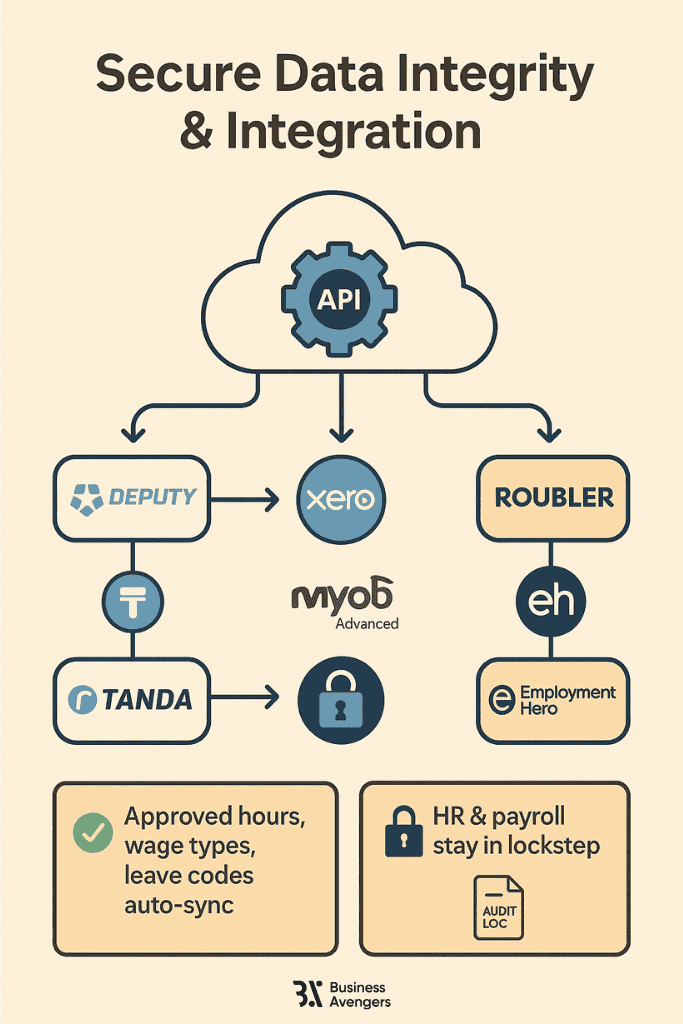
Purpose: For payroll automation to work, every time-and-attendance punch, HR change, and general ledger update needs to land in payroll once, accurately, securely, and auditably. A modern platform achieves this by connecting your cloud apps through open APIs and securing the resulting dataset with enterprise-grade controls.
Key Moves
Example: Instead of re-adjusting 200 café shifts, you can export from Deputy, import to Xero, and finalise in minutes, using an automated payroll processing system.
- Sync Deputy → Xero, Tanda → MYOB Advanced, or Roubler → Employment Hero via open APIs, and you will see that approved hours, wage types, and leave codes land in the correct columns automatically.
- HRIS (Human Resource Information System) and payroll stay in lockstep. Employment Hero exposes an API that allows you to add, update, or remove employee records programmatically, ensuring consistency of master data across HR and payroll modules.
3. Real-Time Error & Liability Controls
Key Moves
Example: A duplicate employee TFN triggers an STP error.
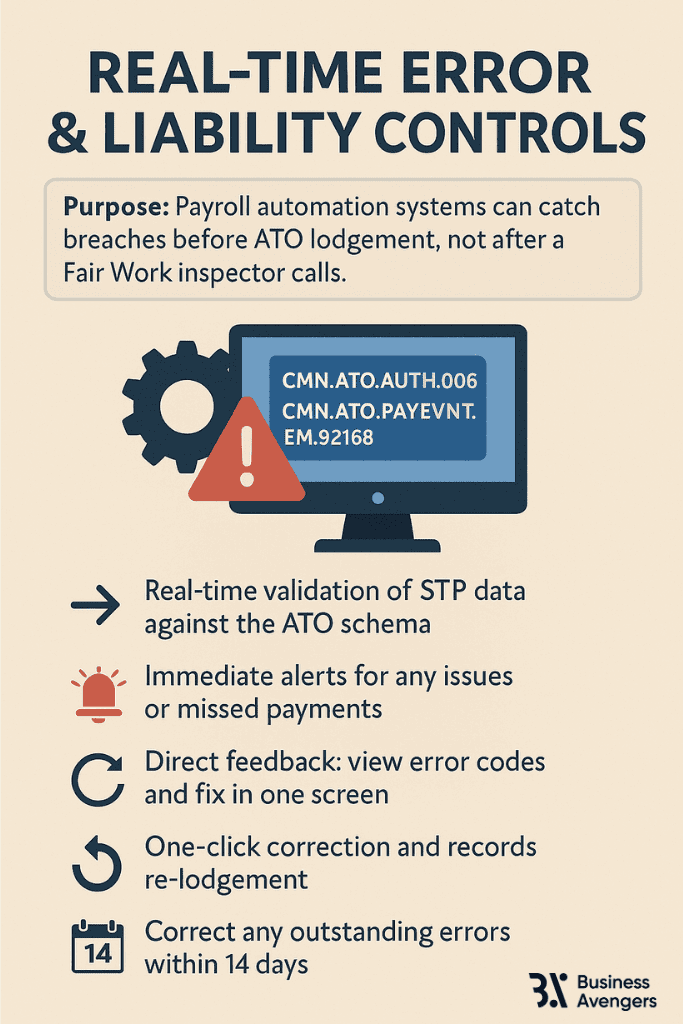
- When you miss a super payment, the engine alerts you well ahead of the 200 % Super Guarantee Charge penalty window.
- One-screen correction and re-lodgement. You edit the data in place, hit Re-Lodge, and the engine pushes only the corrected records. No exporting to portals or re-keying XML.
- If an error slips through and you spot it later, STP guidelines allow you to correct it within 14 days or at the next pay event.
4. Employee Self-Service Hub
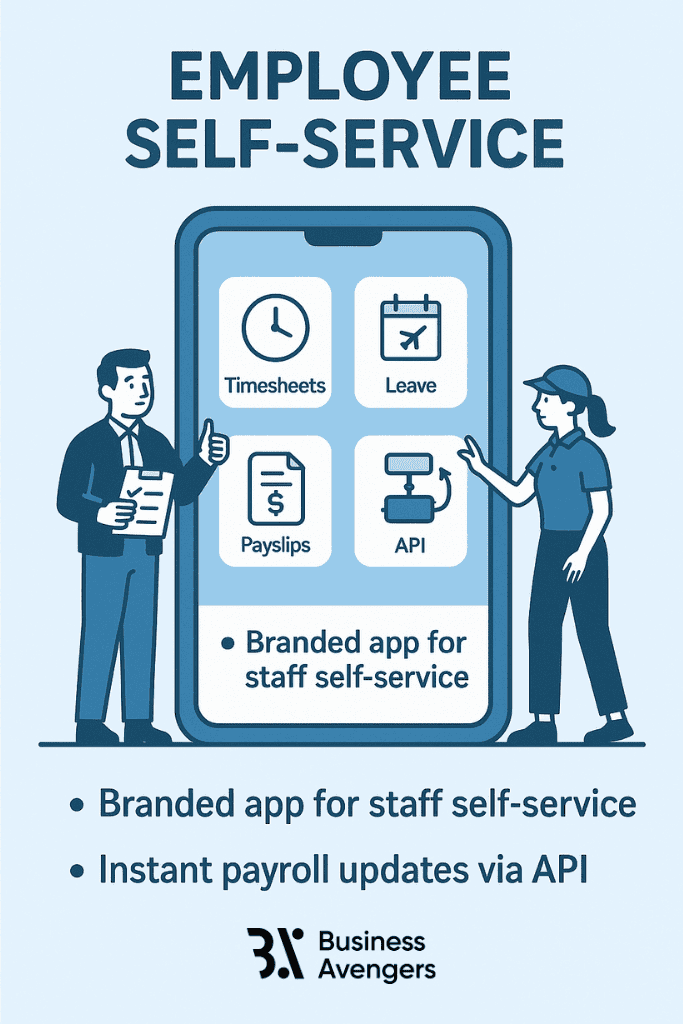
Purpose: The fastest way to cut admin load is to shift routine tasks, like payslip look-ups, timesheet edits, and leaves, from your inbox onto your employees’ phones. A solid payroll automation stack should provide staff with a branded app that offers self-service features.
Key Moves
Example: A warehouse picker corrects a missed break in Xero Me. Your payroll automation process recalculates overtime automatically and updates the next pay run.
- The Xero Me app enables employees to submit timesheets, check leave balances, request or edit leave, and view payslips directly within the app.
- Employment Hero Work (EH Work) bundles timesheets, leave, salary, and even earned-wage access into one super-app that syncs with the payroll automation tool, keeping master data and pay lines aligned automatically.
- Because each action feeds payroll instantly via API, supervisors approve on the spot, and the pay run inherits the change. Zero double entry, zero version-control chaos.
5. Continuous Analytics & Mini-Audits
Purpose: Real‐time analytics are what separates “set-and-forget” payroll from a genuinely self-auditing system. It should surface risks before they hit your cash flow or land on a compliance regulator’s desk.
Key Moves
Example: Weekly dashboards show the casual-to-permanent ratio creeping above award caps. You can adjust rostering before Fair Work notices.
- Interactive leave liability reports let you forecast balances, so you can see today if liabilities will blow past policy caps next quarter, and prompt staff to take leave.
- Report-pack automation emails directors a zipped set of variance, liability, and head-count reports on a cadence you choose (weekly, fortnightly, month-end), eliminating the “please run that report” scramble.
- Manager dashboards flag pending timesheets, expiring qualifications, and other compliance touchpoints. At the same time, configurable email alerts can send daily reminders for outstanding leave requests, pay-run tasks, or even lodgement errors.
6. Enterprise-Grade Security & Governance
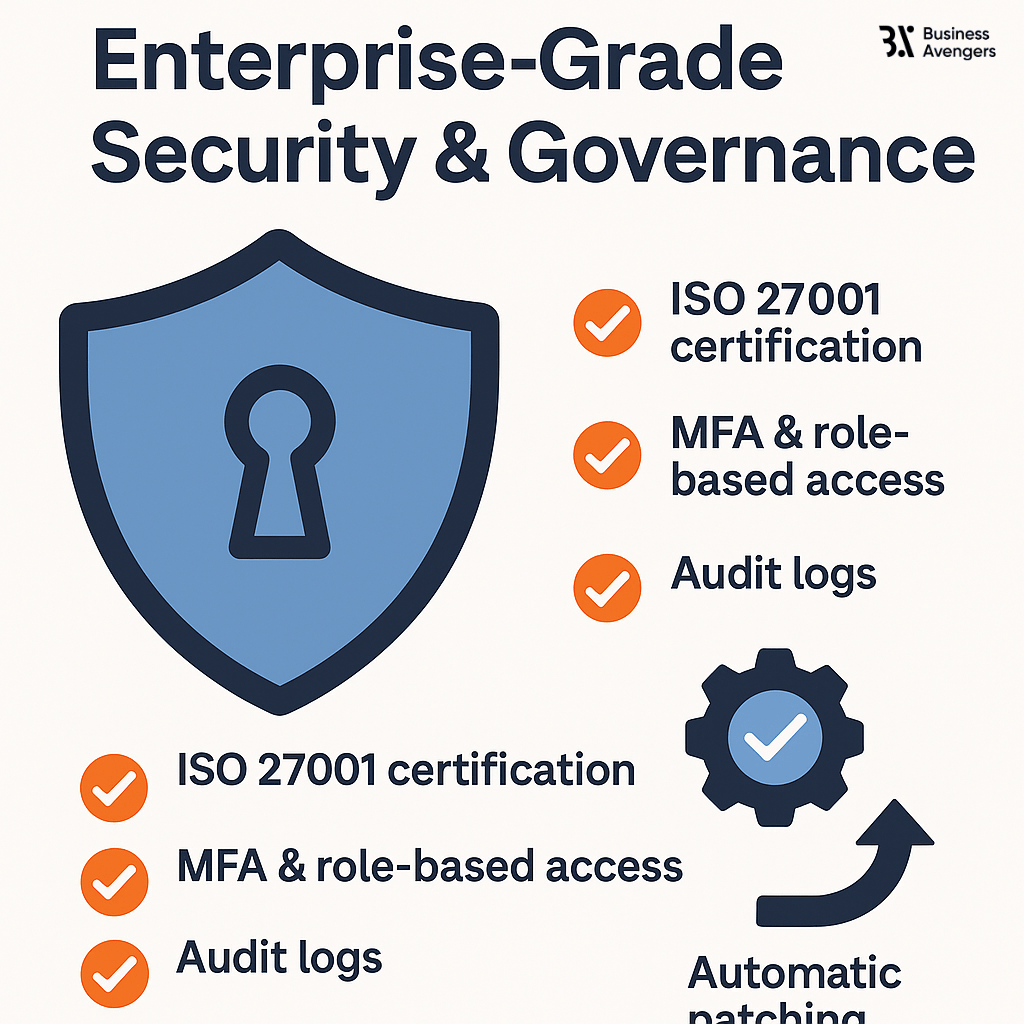
Purpose: Payroll stores TFNs, bank details, and wage history, the kind of data that threat actors target, and the OAIC fines heavily for if it leaks. Your automation stack, therefore, needs defence-in-depth controls that go well beyond passwords.
Key Moves
Note: Certification alone does not exempt you from Australia’s Notifiable Data-Breach scheme. You must keep an incident-response plan ready.
Example: An auditor requests proof of controls. You can export the ISO 27001 certificate and access logs in seconds, closing the audit without requiring additional IT tickets.
- ISO 27001-certified hosting with annual penetration tests. Certification aligns your platform with the Australian Privacy Principles and the NDB scheme, demonstrating a structured approach to risk management.
- Role-based access plus mandatory MFA roles ensure only authorised finance staff can view or export pay data, while MFA deflects 99 % of credential-stuffing attacks.
- Documented NDB response plan. If a breach still occurs, the Privacy Act now allows penalties of up to A$50 million, three times the benefit gained, or 30% of domestic turnover, whichever is higher. Therefore, the platform should implement a 72-hour notification workflow and pre-filled OAIC templates.
- Look for quarterly SOC reports, supply-chain risk assessments, and automatic patching that plugs zero-day exploits without requiring your IT team's intervention.
Compliance Tasks You Can Fully Automate
Tick these four chores off your manual checklist as your payroll automation software does them faster and error-free.
1. Award & EBA Interpretation
When you automate payroll process workflows with a pre-built modern-award library, like KeyPay’s award interpreter, you let the engine calculate penalty rates, overtime, and allowances for every shift. The rules update centrally, so you never have to go through Fair Work PDFs or misprice an enterprise agreement.
2. Single Touch Payroll Phase 2 Reporting
Compliance Date & Rate Tracker Table
*Legislation pending; automation will be enabled once the law passes.
Quick Compliance Catch Up with Payroll Automation Processes
To recap, automating your payroll process is not just about efficiency, but about future-proofing your business against costly mistakes.
You now know how to automate payroll processing to save time, eliminate costly mistakes, and ensure full compliance with evolving regulations. At Business Avengers, we offer payroll management services tailored to Australian SMEs like yours.
We can help you integrate an automated payroll processing system into your current workflow, so you never have to worry about penalties, compliance failures, or manual payroll errors again.
Want to talk any of this through with a finance leader who has run these functions?
Was this article helpful?

Dilip Kherajani
CPA, Australia and Financial Strategist
20+ years of experience in Finance across multiple industries and geographies, 10+ of them as a CFO.